




Based in Varanasi since 1997, BABA Advertisers is a leading advertising agency in Varanasi, India, with a rich legacy of driving remarkable sales for our clients through comprehensive digital advertising services.

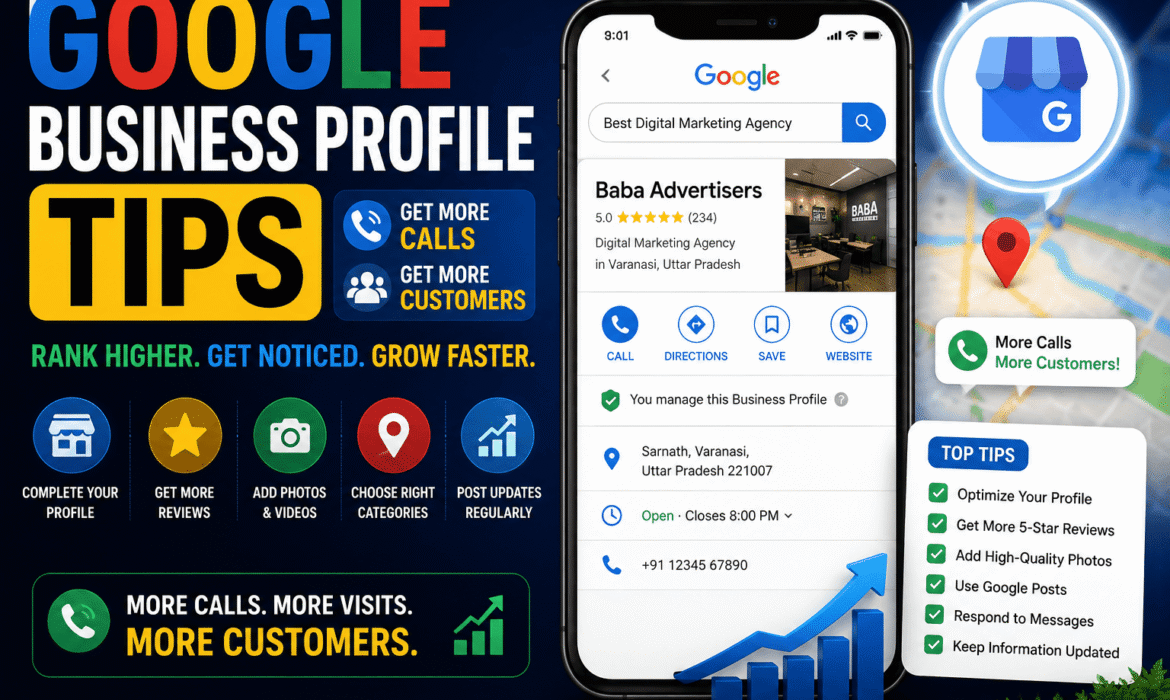
Your Google Business Profile is the most powerful free marketing tool available to any local Indian business right now. When someone searches “advertising agency in Varanasi” or “best [your service] near me” — your Business Profile is what determines whether they call you, visit your website, or choose your competitor instead.
Yet most Indian businesses set up their profile once and never touch it again. Moreover, these same businesses wonder why competitors consistently get more calls, more walk-ins, and more inquiries from Google.
These Google Business Profile tips will change that. Moreover, every tip in this guide is free, implementable today, and produces measurable results within weeks.
The most impactful Google Business Profile tips for getting more calls and customers are: completing every profile field with specific factual information, posting weekly updates, collecting 2 to 3 new detailed reviews every month, responding to every review within 24 hours, uploading fresh photos monthly, and adding every individual service with its own description. Together, these actions signal active, trustworthy operation to Google — producing dramatically more calls, clicks, and customer visits.
Google Business Profile is no longer just a map listing. In 2026, it serves three critical functions simultaneously.
First — it determines whether your business appears in Google’s local map pack — the three businesses shown at the very top of local search results. Moreover, this position generates more clicks than most websites receive from organic search alone.
Second — it feeds directly into Google AI Overviews and Gemini. When someone asks Google AI “which advertising agency in Varanasi handles newspaper bookings?” — Google’s AI pulls from Business Profile data to construct its answer. Furthermore, an incomplete or inactive profile is completely invisible in these AI-generated responses.
Third — it is where customers form their first impression of your business. Consequently, the completeness, activity level, and review quality of your profile directly determines how many potential customers choose to contact you versus choosing a competitor.
Before implementing any tips, check your current profile status:
☐ Business name exactly matches your legal business name
☐ Primary category is the most specific option available
☐ Address complete and identical to your website
☐ Phone number correct and active
☐ Website URL linked and working
☐ Business hours accurate — including Saturday and Sunday
☐ Business description written — at least 250 words
☐ At least 10 photos uploaded
☐ At least 10 Google reviews received
☐ Posted an update within the last 7 days
☐ All services listed individually with descriptions
☐ Responded to every existing review
Score your business: Every unchecked item is a direct reason customers are choosing your competitors over you on Google. Moreover, each fix produces measurable improvement in calls and profile visits within 2 to 4 weeks.
Your primary business category is the single most important field in your entire Google Business Profile. Google uses this category to decide when your business is relevant to a search query — and an incorrect or vague category excludes you from entire categories of customer searches.
Moreover, many businesses choose a broad category when a more specific one exists. An advertising agency should not select “Marketing Agency” when “Advertising Agency” is available. A newspaper ad booking service should not select “Business Service” when “Advertising Agency” is the correct match.
What to do:
Log into your profile and check your primary category. Search for the most specific option that accurately describes your core business. Furthermore, add three to five secondary categories covering every other service you offer — digital marketing, outdoor advertising, radio advertising, and so on. Consequently, each secondary category opens your profile to additional search queries your competitors may be missing.
Most businesses write a description full of vague, marketing-heavy phrases — “We are a leading provider of quality advertising solutions.” This gives Google nothing specific to work with and gives potential customers no reason to choose you.
Moreover, in 2026, your business description feeds directly into Google AI recommendations. AI tools extract specific, factual information from descriptions — and ignore vague marketing language entirely.
What to do:
Rewrite your description as a clear, factual, 250 to 300 word paragraph covering four things — what you do specifically, where you operate, how long you have been in business, and what makes you the right choice. Furthermore, include your most important service keywords naturally — not as a list, but woven into readable sentences.
For example: “Baba Advertisers is a full-service advertising agency in Varanasi, established in 1997 with over 28 years of experience. We provide newspaper advertising across all major publications — Dainik Jagran, Hindustan, Amar Ujala, and Times of India — as well as digital marketing campaigns, outdoor hoarding placements, and radio and TV advertising across Uttar Pradesh. Trusted by hundreds of businesses across Varanasi…”
The Services section is one of the most underused features on Google Business Profile. Most businesses list two or three generic service names without any descriptions. Moreover, Google uses service data to answer highly specific customer queries — “Does this agency handle radio ad bookings?” or “Can they place ads in Dainik Jagran?”
What to do:
Add every individual service as a separate entry. Write a two to three sentence description for each one — covering what it includes, who it serves, and what outcome it delivers. Furthermore, include your city name naturally in at least two or three service descriptions to reinforce local relevance.
At Baba Advertisers, our digital marketing team helps businesses optimise their complete Google Business Profile — from category selection and service descriptions to photo strategy and review management.
Google rewards profiles with recent, high-quality photos — because photo activity signals active, ongoing operation. Moreover, profiles with more photos consistently receive more profile views and direction requests than those with outdated or no images.
Furthermore, in 2026, Google AI tools assess photo recency as part of their business credibility assessment — making monthly uploads an AI visibility strategy as much as a local SEO one.
What to do:
Upload a minimum of four to six new photos every month. Cover different categories — exterior shots showing your signage, interior shots showing your workspace, team photos showing real people, and work samples showing completed projects. Moreover, name your image files descriptively before uploading — “newspaper-advertising-varanasi-baba-advertisers.jpg” — because Google reads file names alongside image content.
Google Business Posts — short updates published directly to your profile — are one of the most consistently underused features available. Moreover, businesses that post weekly consistently outperform non-posting competitors in local search visibility — because posting frequency signals active operation to Google’s ranking systems.
Furthermore, Google Posts appear directly in your Business Profile — giving potential customers additional content to engage with before deciding to call.
What to do:
Publish one post every week — minimum. Effective post types include current offers and promotions, new service announcements, client success highlights, industry tips, and local community involvement. Moreover, write each post in natural, conversational language — and include a clear call to action in every single one.
Reviews are the most powerful trust signal on Google Business Profile — and one of the strongest signals Google uses to rank local businesses. Moreover, in 2026, AI tools read review content directly when generating local business recommendations — making detailed, specific reviews doubly valuable.
What to do:
Implement a systematic review collection process — not an ad hoc one. After every completed service, send a WhatsApp message to the client with a direct link to your Google review page. Moreover, ask them specifically to mention the service they received and the city — because specific reviews carry significantly more AI visibility value than generic ones.
Furthermore, aim for two to three new reviews every month consistently — rather than a burst of reviews followed by months of silence. Google rewards consistent review flow over irregular spikes.
Review response rate is a direct ranking signal for Google Business Profile. Moreover, businesses that respond to every review — positive and negative — consistently rank higher in local search results than those that ignore reviews.
Furthermore, Google AI tools treat review response rate as a professionalism signal — using it when deciding which businesses to recommend in AI-generated answers.
What to do:
Set a rule — respond to every new review within 24 hours without exception. For positive reviews, thank the customer specifically and mention the service they used. For negative reviews, acknowledge the concern professionally, apologise without admitting specific fault, and invite the customer to contact you directly.
Moreover, include your business name and location naturally in your responses — because this text becomes searchable content that Google indexes alongside your reviews.
The Questions and Answers section of your Google Business Profile is directly scraped by Google AI when generating responses to customer queries about your business. Moreover, most businesses leave this section completely empty — losing a significant AI visibility opportunity.
What to do:
Proactively add your own questions and answer them yourself. Do not wait for customers to ask. Cover the most common pre-contact questions — your services, pricing approach, experience, geographic coverage, and booking process. Furthermore, monitor this section weekly and answer any new customer questions within 24 hours.
Inaccurate business hours are one of the fastest ways to lose customer trust — and damage your profile’s reliability signals with Google. When customers arrive at your business during listed hours and find it closed, they frequently leave negative reviews and report incorrect information to Google.
Moreover, Google flags profiles with reported inaccuracies — which directly reduces their local search visibility.
What to do:
Review your hours monthly. Update them immediately whenever they change — for festivals, holidays, special events, or seasonal variations. Furthermore, use Google’s special hours feature for public holidays — adding holiday hours proactively rather than leaving your regular hours displayed during closures.
Many service businesses overlook the Products section — assuming it applies only to retail shops. However, Google allows service businesses to add individual services as “products” with photos, descriptions, and prices. Moreover, these product listings appear prominently in mobile searches — capturing additional profile real estate that competitors without products are missing entirely.
What to do:
Add your most important services as individual product entries — complete with a specific photo, a clear description, and where possible, a price range. Furthermore, link each product to its corresponding website service page — giving interested customers a direct path to more detailed information.
Google Business Profile allows businesses to add a booking or appointment link directly to their profile — enabling customers to take action without ever visiting your website. Moreover, profiles with direct booking links consistently receive higher click-through rates than those requiring customers to navigate to a website first.
What to do:
Add your contact page URL, WhatsApp link, or any booking system link to the appointment booking field. Furthermore, ensure the linked page is mobile-optimised and loads in under three seconds — because most Google profile visitors are on mobile devices with variable connection speeds.
Google Business Profile provides detailed insights — showing how many people viewed your profile, clicked your website, called your number, and requested directions. Moreover, this data tells you exactly which profile elements are working and which need improvement.
What to do:
Check your insights every week. Pay particular attention to which search queries bring customers to your profile — these tell you exactly which keywords your customers use. Furthermore, track call volume week over week — so you can correlate spikes in calls with specific profile changes or posts. Consequently, this data-driven approach allows you to continuously improve your profile based on actual customer behaviour rather than guesswork.
| 🔴 Myth | 🟢 Fact |
|---|---|
| “Setting up Google Business Profile once is enough” | Google rewards active, regularly updated profiles — inactivity directly reduces visibility |
| “More reviews always means better ranking” | Review quality and recency matter as much as quantity — two recent detailed reviews outperform ten old generic ones |
| “Only the category and address matter” | Every field — description, services, photos, hours, Q&A — contributes to ranking and conversion |
| “Negative reviews will destroy my profile” | Professional responses to negative reviews often convert concerned searchers into customers |
| “Google Business Profile only affects map rankings” | In 2026, it directly influences Google AI Overview and Gemini recommendations — far beyond the map pack |
| “I don’t need photos — customers care about service not images” | Profiles with photos receive 42 percent more direction requests and 35 percent more website clicks than those without |
How do I get more calls from Google Business Profile?
Get more calls by completing every profile field, posting weekly updates, collecting two to three new detailed reviews monthly, responding to every review within 24 hours, uploading fresh photos every month, adding every service individually with descriptions, and keeping business hours perfectly accurate. Moreover, enabling the call button and adding a WhatsApp link to your profile directly increases call volume by reducing friction.
Does posting on Google Business Profile help with ranking?
Yes — significantly. Google treats posting frequency as an activity signal — rewarding businesses that post regularly with higher visibility in local search results. Moreover, posts directly appear in your Business Profile — giving searchers additional reasons to choose your business over non-posting competitors. Furthermore, consistent posting signals ongoing operation and trustworthiness to both Google and potential customers.
How many photos should I have on Google Business Profile?
Upload at least 10 photos to start — covering exterior, interior, team, and work samples. Moreover, add four to six new photos every month to maintain photo recency signals. Furthermore, profiles with more than 100 photos receive significantly more profile views than those with fewer than 10 — making consistent monthly uploads one of the highest-ROI profile optimisation activities available.
How do I respond to negative reviews on Google Business Profile?
Respond promptly — within 24 hours — professionally and empathetically. Acknowledge the concern without admitting specific fault. Apologise for the experience and invite the customer to contact you directly to resolve the issue. Moreover, keep responses brief and factual — never argue, make excuses, or attack the reviewer publicly. Consequently, a professionally managed negative review often builds more trust with potential customers than a universally positive review history.
Can Google Business Profile help my business appear in ChatGPT recommendations?
Yes — ChatGPT with browsing capability, Google Gemini, and Google AI Overviews all draw from Google Business Profile data when generating local business recommendations. Moreover, a complete, active profile with specific service descriptions, detailed reviews, and regular posts gives AI tools the factual data they need to confidently recommend your business. Consequently, Google Business Profile optimisation is simultaneously a local SEO and AI search visibility strategy in 2026.
Immediately — because every day with an incomplete or inactive profile is a day your competitors are capturing customers who searched for exactly what you offer.
Start today if:
Furthermore, Google Business Profile optimisation produces results significantly faster than most other digital marketing strategies — with measurable improvements in calls and profile visits typically visible within two to four weeks of consistent implementation.
What are the most important Google Business Profile tips for getting more calls?
The most impactful tips are completing your business description with specific factual content, adding every service individually, collecting two to three new detailed reviews monthly, responding to every review within 24 hours, posting weekly updates, and uploading fresh photos every month. Together, these actions signal active, trustworthy operation — the primary factor Google uses to determine which businesses to show most prominently in local search results.
How often should I update my Google Business Profile?
Post a weekly update minimum. Upload new photos at least monthly. Respond to new reviews within 24 hours. Review all profile fields monthly for accuracy — particularly business hours. Moreover, update your profile immediately whenever any business information changes — address, phone number, hours, or services.
Is Google Business Profile free?
Yes — completely free. Google Business Profile is one of the most powerful free marketing tools available to any local Indian business. Moreover, the investment required is time rather than money — making it accessible to businesses of every size and budget. Consequently, optimising this free tool should always precede investment in paid advertising channels.
How do Google reviews affect my Business Profile ranking?
Reviews directly influence local search ranking through three signals — total review count, average star rating, and review recency. Moreover, review content — the specific words customers use — is indexed by Google and used when matching your profile to relevant search queries. Furthermore, AI tools like Google Gemini and ChatGPT read review content directly when generating local business recommendations — making detailed, specific reviews doubly valuable in 2026.
How does Baba Advertisers help businesses optimise their Google Business Profile?
Baba Advertisers provides complete Google Business Profile optimisation services for businesses in Varanasi — including profile setup, description writing, service and product listing, photo strategy, review management systems, weekly posting, and integrated traditional advertising through newspaper, outdoor, and radio channels that amplify digital visibility across every customer touchpoint.
Google Business Profile tips are only valuable when implemented consistently — and consistency requires a system, not occasional effort. Moreover, the businesses seeing the strongest results from their profiles are those with dedicated monthly optimisation routines — not one-time setup and forget.
As the best advertising agency in Varanasi, Baba Advertisers helps businesses across Varanasi build and maintain complete Google Business Profile presence — combined with newspaper advertising that builds brand recognition, outdoor hoardings that drive offline awareness, and radio and TV campaigns that create mass reach — creating a complete advertising presence that Google recognises, customers trust, and competitors struggle to replicate.
Contact us today for a free Google Business Profile audit. We will assess your current profile, identify exactly what is limiting your local search visibility, and build a practical optimisation plan that delivers more calls and more customers within weeks.
According to Google’s research on Business Profiles, complete and active profiles receive significantly more customer actions — calls, website visits, and direction requests — than incomplete profiles, with photo-rich profiles receiving up to 42 percent more direction requests than those without images.
⚠️ Disclaimer: This blog reflects current best practices in Google Business Profile optimisation as of 2026. Google updates its platform regularly — strategies should be reviewed accordingly.