



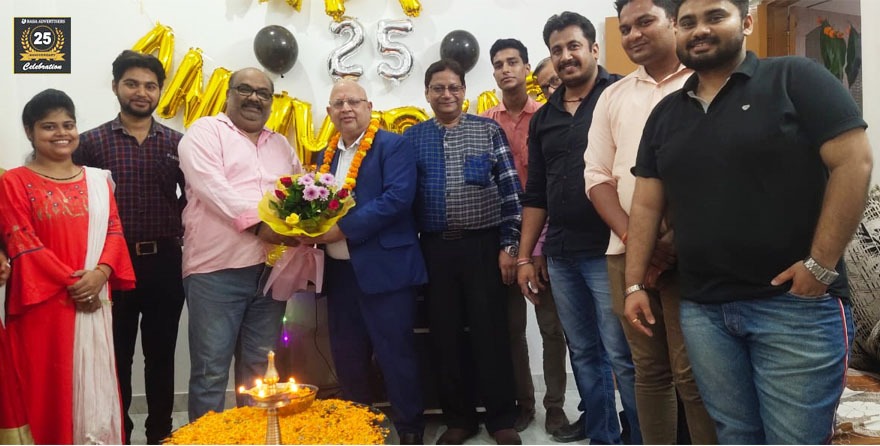

Based in Varanasi since 1997, BABA Advertisers is a leading advertising agency in Varanasi, India, with a rich legacy of driving remarkable sales for our clients through comprehensive digital advertising services.

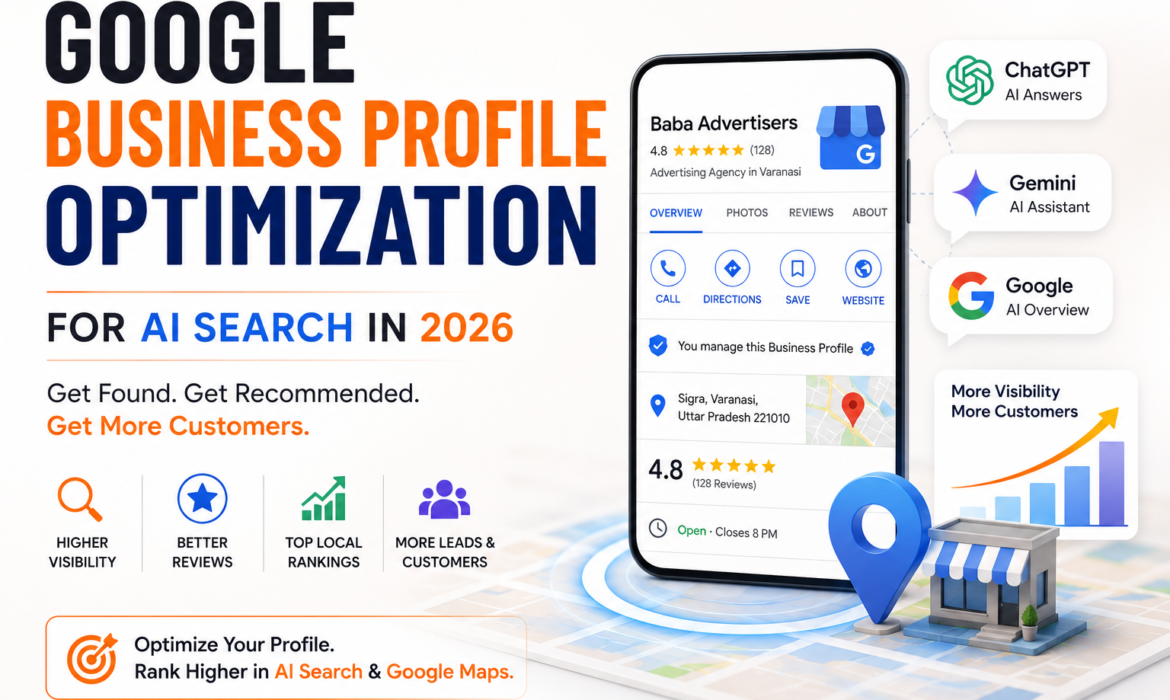
Something fundamental has changed about how Indian consumers find local businesses. Until recently, a well-optimized Google Business Profile helped your business appear in the local map pack — the three businesses shown at the top of Google search results. In 2026, however, that same profile now does something far more powerful.
Google Business Profile optimization for AI search determines whether Google’s AI Overviews, Gemini, and other AI-powered tools recommend your business by name when a customer asks a direct question — “Which is the best advertising agency in Varanasi?” or “Where can I book a newspaper ad in Varanasi?”
Most business owners have no idea this is happening. Moreover, the businesses that optimize their profiles specifically for AI search right now are gaining a significant first-mover advantage over every competitor who waits. This guide shows you exactly what to do — step by step.
Google’s AI Overviews now appear at the very top of search results for a rapidly growing percentage of local business queries across India. Furthermore, Google Gemini — deeply integrated into Android devices used by hundreds of millions of Indians — pulls directly from Google Business Profile data when answering questions about local businesses.
This means your Google Business Profile is no longer just a map listing. In 2026, it functions as your primary AI identity card — the source from which Google’s own AI tools extract information to recommend you to customers.
Consequently, an incomplete, outdated, or poorly written profile does not just hurt your map ranking. It actively excludes your business from AI-generated recommendations entirely. Additionally, a competitor with a better-optimized profile will get recommended in your place — every single time a potential customer asks an AI tool about your type of business.
Before optimizing anything, understanding how AI tools actually use your profile data is essential. Google’s AI systems do not simply scan your profile for keywords. Instead, they assess multiple signals simultaneously to determine how confidently they can recommend your business.
The key signals Google AI evaluates:
Completeness — Does your profile answer every question a customer might ask? AI tools favour profiles with zero missing fields over incomplete ones, because completeness signals reliability.
Factual consistency — Does the information on your profile match what appears on your website, directories, and other platforms? Inconsistency causes AI tools to lose confidence in your business and exclude you from recommendations.
Activity recency — When did you last update your profile, post an update, or upload a photo? AI tools interpret recent activity as a signal that the business is actively operating and trustworthy.
Review quality and response rate — AI tools read review content, not just star ratings. Moreover, they assess whether the business responds to reviews — treating responsiveness as a signal of professionalism and engagement.
Service and category accuracy — Does your primary category precisely describe what your business does? Additionally, does your service list cover every specific offering a customer might search for?
Your primary business category is the single most important field in your entire Google Business Profile. AI tools use this category to decide when your business is relevant to a search query. Choosing a vague or slightly incorrect category — even by one degree — can exclude your business from entire categories of AI-generated recommendations.
What to do: Select the most specific primary category available for your business. For example, an advertising agency should not simply select “Marketing Agency” when “Advertising Agency” is available. Furthermore, add three to five secondary categories that cover every service you offer — newspaper advertising, digital marketing, outdoor advertising, and so on.
Review your category selection every six months — Google regularly adds new, more specific categories as business types evolve.
Most businesses write a generic, marketing-heavy description full of vague phrases like “leading provider of quality services.” AI tools cannot extract useful information from this kind of content — and therefore do not use it when generating recommendations.
What to do: Write your description in clear, factual, complete sentences that directly answer the questions a customer would ask. Structure it to cover four things:
For example: “Baba Advertisers is a full-service advertising agency in Varanasi with over 28 years of experience. We offer newspaper advertising across all major publications including Dainik Jagran, Hindustan, and Amar Ujala, digital marketing campaigns, outdoor hoarding advertising at prime Varanasi locations, and radio and TV ad placements across Uttar Pradesh. Trusted by hundreds of local and national businesses, Baba Advertisers provides complete advertising solutions under one roof.”
This description gives AI tools specific, extractable facts — rather than empty marketing language.
Incomplete profiles signal unreliability to AI tools. Consequently, every unfilled field is an opportunity for a competitor to appear more credible and complete — and get recommended instead of you.
Fields that AI tools specifically extract:
Moreover, revisit every field quarterly to ensure nothing has become outdated — particularly business hours, which Google flags as inconsistent if they differ from what customers report.
Reviews are one of the strongest signals AI tools use when deciding which local business to recommend. However, in 2026, the strategy for collecting and managing reviews needs to go beyond simply asking customers to leave a star rating.
What AI tools specifically look for in reviews:
What to do: Create a simple review request system. After every completed service, send a WhatsApp message to the client with a direct link to your Google review page. Ask them specifically to mention the service they used and their experience. Additionally, respond to every review within 24 hours — even a brief, genuine response counts significantly toward your AI visibility.
At Baba Advertisers, our digital marketing team helps businesses across Varanasi build exactly this kind of systematic review strategy — generating consistent, high-quality reviews that strengthen both traditional rankings and AI-generated recommendations.
Most businesses set up their Google Business Profile once and never touch it again. Furthermore, this inactivity signals to Google’s AI systems that the business may no longer be actively operating — reducing its confidence in recommending it.
What to do: Post at least one Google Business Post every week. Effective post types include:
Write each post in natural, conversational language rather than marketing copy. Additionally, include your city name and a specific service name in each post — this reinforces the location and service signals that AI tools extract from your profile activity.
Google’s AI systems interpret regular photo uploads as evidence of an active, thriving business. Moreover, profiles with recent, high-quality photos consistently outperform those with outdated or no images in both traditional map rankings and AI-generated recommendations.
Photo types that AI tools and customers respond to:
Upload a minimum of four to six new photos every month. Furthermore, name your photo files descriptively before uploading — for example, “newspaper-advertising-varanasi-baba-advertisers.jpg” — because AI tools read file metadata alongside image content.
Google Business Profile allows you to list individual services with separate names, descriptions, and prices. Most businesses add a generic list. However, AI tools extract service-level data to answer highly specific customer queries — “Does this agency handle radio ad bookings?” or “Can they place ads in Dainik Jagran?”
What to do: Add every individual service your business offers as a separate entry. Write a two to three sentence description for each one — covering what the service includes, who it is for, and what outcome it delivers. Additionally, include your city name naturally in at least two or three service descriptions to reinforce local relevance.
For example, under “Newspaper Advertising”: “Baba Advertisers provides complete newspaper advertising services in Varanasi — from ad design and content creation to booking placement across all major Hindi and English publications including Dainik Jagran, Hindustan, Amar Ujala, and Times of India. We handle classified, display, and front-page bookings for businesses of all sizes across Uttar Pradesh.”
The Questions and Answers section of your Google Business Profile is one of the most underused — and most AI-visible — features available. AI tools regularly pull from this section to answer direct customer queries about your business.
What to do: Do not wait for customers to ask questions. Instead, proactively add your own questions and answer them yourself — covering the most common things customers ask before contacting you.
Effective Q&A entries include:
Furthermore, monitor this section regularly and answer any new questions within 24 hours — because unanswered customer questions reduce your profile’s trust signals.
NAP — Name, Address, Phone — consistency across every online platform is a foundational trust signal for AI tools. Google’s AI systems cross-reference your Business Profile information against dozens of other sources before confidently recommending your business.
What to do: Conduct a full NAP audit across every platform where your business appears — your website, JustDial, Sulekha, IndiaMart, Facebook, Instagram, and any other directories. Ensure your business name, address, and phone number are character-for-character identical everywhere.
Additionally, if your business name, address, or phone number ever changes — update every single platform simultaneously rather than updating one and forgetting the others. Inconsistency — even a small one like “St.” versus “Street” — creates doubt in AI systems and reduces recommendation frequency.
Your Google Business Profile and your website work together as a unified AI visibility system. AI tools assess the quality and relevance of the website linked to your profile as part of their overall confidence assessment.
What to do: Ensure your linked website loads in under three seconds on mobile — use Google’s PageSpeed Insights to check and improve your score. Furthermore, your website should include your business name, address, and phone number in the footer of every page — matching your Business Profile exactly.
Additionally, create a dedicated local landing page on your website that mirrors and expands on your Business Profile content — covering your services, location, experience, and FAQs in detail. This page becomes a secondary source that AI tools can extract from alongside your Business Profile itself.
What is Google Business Profile optimization for AI search? Google Business Profile optimization for AI search is the process of completing, structuring, and actively maintaining your Business Profile so that Google’s AI tools — including AI Overviews and Gemini — extract your business information and recommend you in their generated answers to customer queries.
Why does Google AI sometimes recommend competitors instead of my business? Google AI recommends the business whose profile provides the most complete, consistent, and recently updated information. If a competitor’s profile is more complete, has more recent reviews, or posts more regular updates — AI tools will recommend them with greater confidence. Optimizing every aspect of your profile removes this disadvantage.
How often should I update my Google Business Profile in 2026? Post a Google Business update at least once per week. Upload new photos at least four times per month. Respond to every review within 24 hours. Review all profile fields quarterly for accuracy. This level of activity signals to Google AI that your business is actively operating and trustworthy.
Does responding to Google reviews help with AI search recommendations? Yes — significantly. AI tools interpret review response rate as a professionalism and engagement signal. Businesses that respond to every review consistently receive stronger recommendations from Google AI than those that ignore reviews — even when their overall star rating is similar.
Can a small local business in Varanasi appear in Google AI Overviews? Yes — and this is one of the most exciting opportunities for small Indian businesses right now. Google AI Overviews favour completeness, consistency, and local relevance over business size. A small, well-optimized local business in Varanasi can appear in AI-generated answers above large national brands whose profiles are less complete or less locally specific.
How does Baba Advertisers help businesses optimize for AI search? Baba Advertisers provides complete digital marketing and AI search optimization services for businesses in Varanasi and across India — including Google Business Profile setup and optimization, content strategy, review management, and integrated online-offline advertising campaigns combining digital with newspaper, outdoor, and radio advertising.
Google Business Profile optimization gives your business powerful digital visibility. However, the businesses that grow fastest in Varanasi combine this digital foundation with traditional advertising that reaches customers across every channel.
A newspaper advertisement in Dainik Jagran or Hindustan builds immediate credibility and trust with audiences who may never use AI search. An outdoor hoarding at a prime Varanasi location keeps your brand visible 24 hours a day. Radio and TV advertising delivers mass awareness at a scale no digital campaign alone achieves.
Together, these channels create a complete, multi-touchpoint brand presence that AI tools recognise, customers trust, and competitors find difficult to replicate.
According to Google’s own research on Business Profiles, businesses with complete and active profiles are significantly more likely to receive customer calls, website visits, and direction requests — and in 2026, that same completeness directly determines AI recommendation frequency.
Optimizing a Google Business Profile for AI search requires ongoing attention — not a one-time setup. Most business owners lack the time to post weekly updates, respond to every review, audit NAP consistency, and keep every field current simultaneously.
At Baba Advertisers, our team handles complete Google Business Profile optimization and AI search strategy for businesses across Varanasi — so you can focus on running your business while we focus on making sure AI tools recommend it.
Contact us today for a free profile audit and consultation. We will assess your current AI visibility, identify exactly what is holding your profile back, and build a step-by-step optimization plan tailored to your business and your market.
⚠️ Disclaimer: This blog reflects current best practices in Google Business Profile optimization and AI search as of 2026. Digital platforms evolve rapidly — strategies should be reviewed and updated regularly.