






Based in Varanasi since 1997, BABA Advertisers is a leading advertising agency in Varanasi, India, with a rich legacy of driving remarkable sales for our clients through comprehensive digital advertising services.

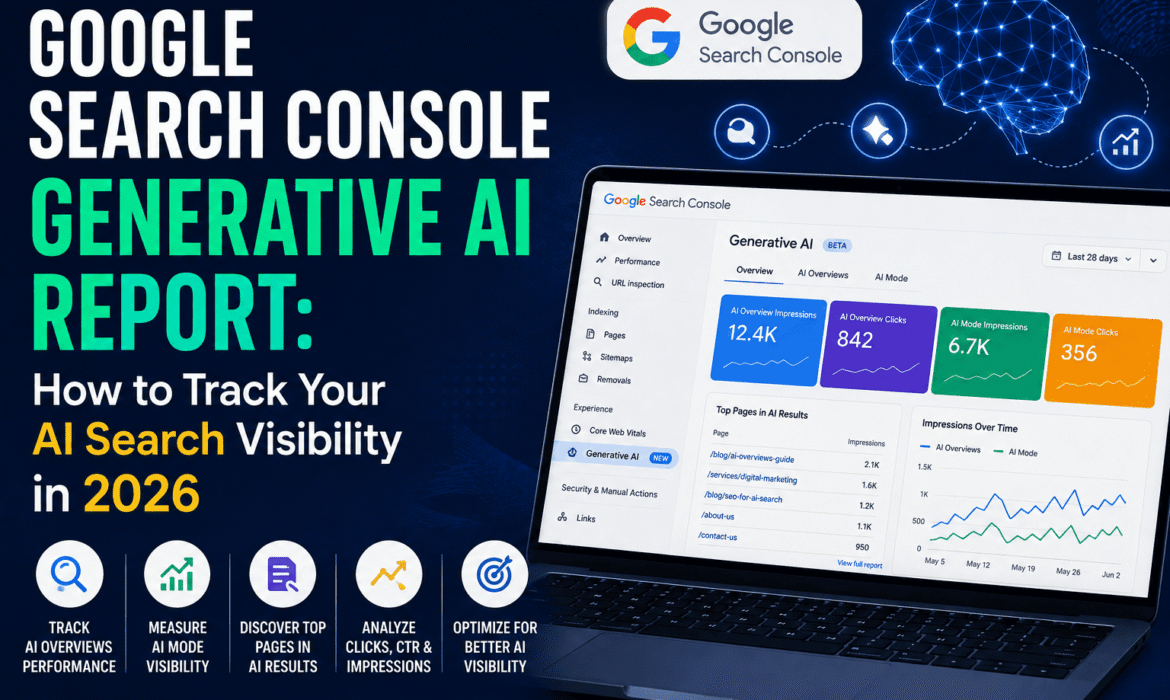
For nearly two years, businesses could sense that AI Overviews and AI Mode were reshaping search. But there was no direct way to measure it. Google quietly folded impressions from these features into standard search data, with no way to isolate them. That changed on June 3, 2026. Google launched a dedicated Generative AI performance report inside Search Console. It gives site owners their first real window into how content performs specifically within AI-driven search features. Here’s what the report shows, what it doesn’t, and how to actually use it.
The Generative AI report is a new section inside Search Console, sitting under the familiar Performance tab. It isolates impressions from Google’s AI-powered features — AI Overviews, AI Mode, and generative AI features within Discover. This data now sits separately from standard organic search data. Before this update, this data existed but blended into overall Performance metrics. That made it impossible to know how much of a site’s visibility came specifically from AI-generated answers versus traditional blue-link results.
The report breaks visibility down across five dimensions:
The Pages dimension is particularly useful for spotting patterns. You can see whether certain content types — guides, blog posts, service pages — earn more AI visibility than others. That insight can directly shape your content strategy going forward.
Here’s the most important limitation to understand before drawing conclusions from the data: the report currently shows impressions only. No clicks, no click-through rate, no query-level data. You can see that your content is appearing inside AI answers. But you can’t yet see how much actual traffic or business value that visibility generates. Google has indicated more metrics will be added over time, but hasn’t confirmed a specific timeline for when click data will arrive.
This gap matters strategically. A page could show strong AI impressions while sending very little actual traffic. AI answers often satisfy the user’s query without requiring a click through to the source at all.
The report began rolling out to a subset of UK-based site owners first. This ties in part to regulatory requirements from the UK’s Competition and Markets Authority, with a phased global expansion following. Access requires no opt-in. If your property is included in the rollout, the report simply appears in your Search Console navigation. If you don’t see it yet, it may be a rollout timing issue. Your site may also not be generating enough AI impressions yet to populate the report.
Alongside the reporting update, Google also introduced a toggle that lets site owners block their content from appearing in AI features entirely, without affecting standard organic rankings. For most small businesses, opting out isn’t the right move. AI features are becoming an increasingly significant discovery surface. Removing yourself from them means voluntarily giving up visibility on a fast-growing part of search, right as it’s finally becoming measurable.
This report only covers Google’s own AI surfaces — AI Overviews, AI Mode, and Discover. It doesn’t include visibility inside ChatGPT, Perplexity, Gemini conversations, or other AI assistants people increasingly use for recommendations. If you’re serious about tracking your presence across the full AI search landscape, treat this Search Console report as a strong starting point, not a complete picture. A broader GEO strategy needs to account for visibility across multiple AI platforms, not just Google’s.
You don’t need to become an SEO analyst to benefit from this report. The core takeaway is simple: content that ranks well in traditional search doesn’t automatically appear inside AI answers, and vice versa. A well-structured, clearly written page can earn strong AI citations even without a top organic ranking. This reinforces something increasingly important for small businesses. Understanding why competitors show up in AI search while your business doesn’t often comes down to content structure and clarity, not just traditional SEO signals.
Reading this data correctly, and turning it into an actual content and optimization strategy, takes more than checking a dashboard occasionally. Baba Advertisers’ digital advertising services help businesses in Varanasi and beyond monitor AI search visibility alongside traditional SEO — so you’re not just seeing the data, you’re acting on it.
What is the Google Search Console Generative AI report? It’s a dedicated report launched in June 2026 that shows how often your site’s pages appear within Google’s AI Overviews, AI Mode, and generative AI features in Discover, separate from standard organic search data.
Does the report show how many clicks I’m getting from AI Overviews? No, not currently. The report shows impressions only — click data and query-level information haven’t been added yet, though Google has said more metrics are coming over time.
Why don’t I see the Generative AI report in my Search Console yet? The rollout is phased, starting with a subset of UK-based sites before expanding globally. Your site may also not be generating enough AI impressions yet to populate the report.
Should I opt out of appearing in AI Overviews and AI Mode? For most small businesses, no. Opting out means giving up visibility on a fast-growing part of search, right as it’s finally becoming measurable, without any clear benefit to standard rankings.
Does this report track visibility on ChatGPT or other AI tools? No, it only covers Google’s own AI features. Tracking visibility across other AI assistants requires a separate, broader GEO approach.
Related Reads:
Want to know how visible your business actually is in AI search? Talk to Baba Advertisers — we’ll help you track and improve your AI search visibility in 2026.